
 PDF EasyANDROID APP
Less paperwork.
More possibility.
Read, convert, annotate and sign. Your everyday PDF tools, together on your Android device.
Current build: no ads, subscriptions or account required.
ONE APP, EVERYDAY DOCUMENTS
Read it. Sign it.
Get on with your day.
Open a document, make a note, or turn a few photos into a PDF. The tools you need, in one place, with on-device processing.
A reader that
keeps your place.
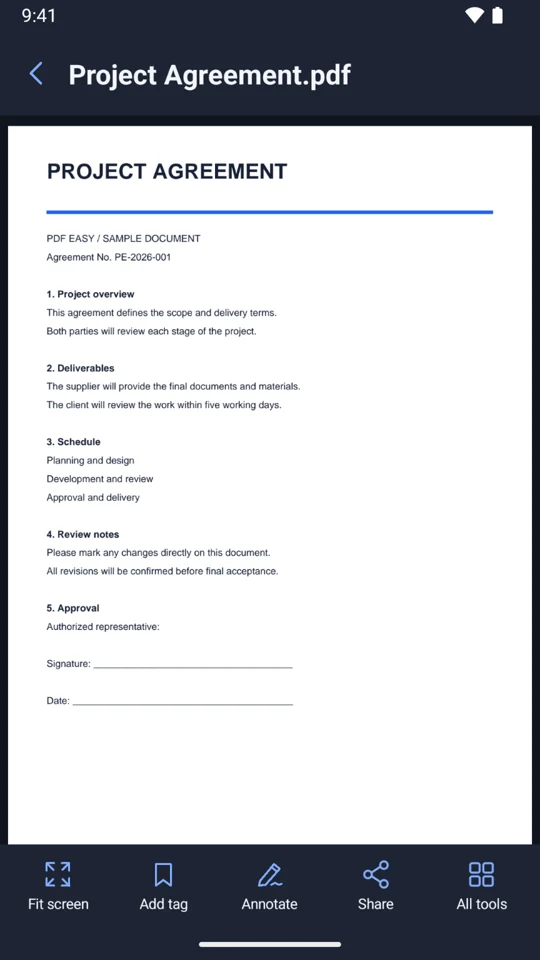
Scroll continuously, zoom in, jump to a page and return to where you left off. Search extractable text and organize your files with favorites and colored tags.
ACTUAL APP INTERFACEAdd your signature.
Make your point.
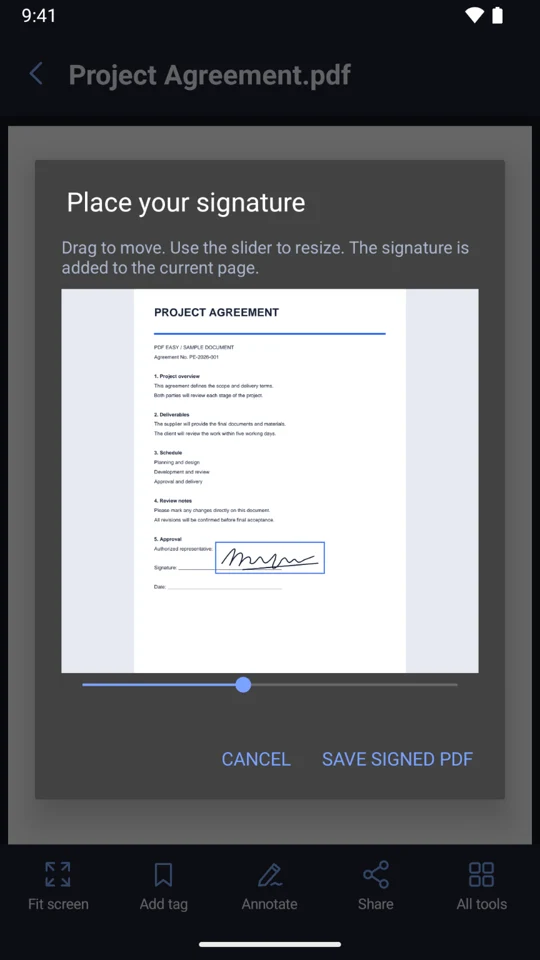
Draw a signature, position it on the page and save a copy. Add handwriting, translucent highlights and text notes while keeping your original document.
ACTUAL APP INTERFACEFrom a few photos
to one tidy PDF.
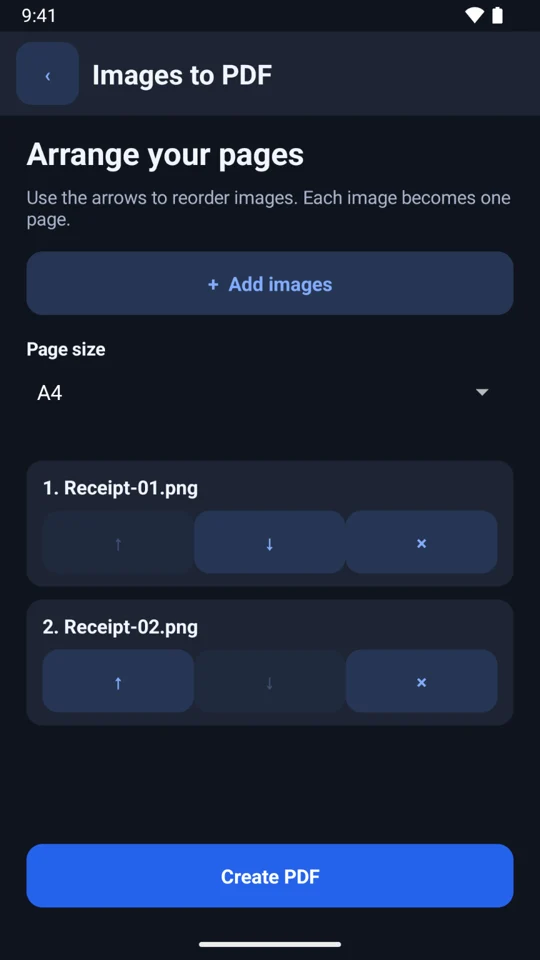
Choose and arrange photos, select a page size, then save or share. You can also export PDF pages as images, merge documents, add watermarks and convert common DOCX content.
 ACTUAL APP INTERFACE
TAKE A CLOSER LOOK
Everyday tools, in action.
GET GOING
Three steps. Then carry on.
- 01
Pick a document
- 02
Make it yours
- 03
Save a copy & share
GOOD TO KNOW
A few useful answers.
Are my documents uploaded?
The current version processes reading, conversion, annotations and signatures on your device. Files are shared with another app only when you choose to share them.
Why does PDF Easy ask for file access?
File access lets the app discover PDFs in shared storage. You can decline or revoke it and continue importing individual files with the Android system picker.
Can I search scanned pages or unlock a PDF?
Text search needs a PDF with extractable text. The current version does not include OCR or password entry for encrypted documents.
What kind of signature can I add?
Draw a handwritten signature, position and resize it on a page, then save a copy. This is a visual signature, not a certificate-based digital signature.
Will conversion and compression always be exact?
DOCX conversion supports common paragraphs, formatting, tables and images; complex layouts may change. Compression targets suitable embedded images, so an already optimized PDF may not become smaller.
APP NOTES
The useful details.
- Platform
- Android
- Development build
- 1.0.0
- Languages
- 17 languages
- Availability
- In development
Meet your next little helper.
We are getting PDF Easy ready for Google Play.